Publishing on Apple News: 5 Easy Steps to Get Started
Apple News gives publishers another way to reach and engage readers, extend the value of their existing content, and create opportunities for revenue and subscriber growth.
Getting onto the platform starts with Apple’s approval process, but it’s also worth thinking ahead to how your content will translate to Apple News and how you’ll manage publishing once you’re there.
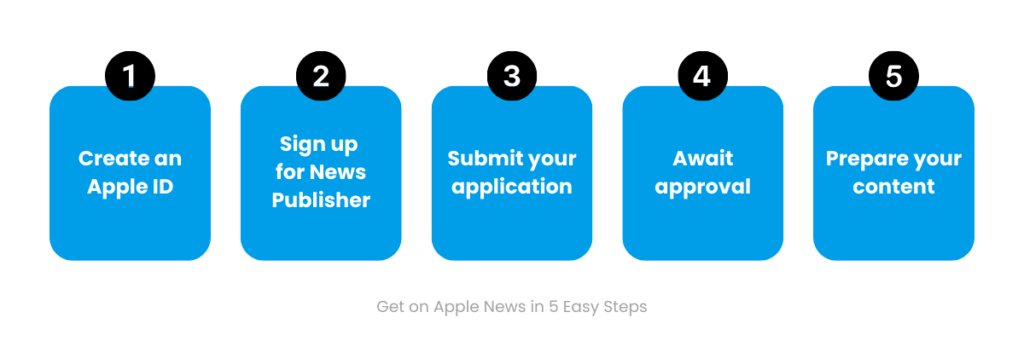
In this guide, we’ll walk through five easy steps to get started on Apple News, along with what to consider once you’re up and running.
Quick Answer: How Do You Publish on Apple News?
Publishing on Apple News starts with applying as a publisher and getting approved by Apple. From there, you’ll need to prepare your content and establish a workflow for publishing it to the platform.
The five steps below walk you through the process.
5 Easy Steps to Get Started on Apple News
Step 1: Create an Apple ID
Your Apple ID is the starting point for accessing Apple’s publisher tools. Use an account that can be securely managed by the appropriate person or team, with up-to-date contact information.
Step 2: Sign Up for News Publisher
Request contact through the Apple News Feedback page and provide the initial information requested about your publication. As Apple’s onboarding process can change, always refer to its official publisher guidance for the latest requirements.
Step 3: Submit Your Application
Complete the application with information about your publication, including what you publish, who your audience is and examples of your editorial content. Make sure your publication and contact details are current, and choose examples that accurately represent the quality and type of content you regularly publish.
Step 4: Await Approval
Apple will review your application and contact you with its decision or any requests for additional information. Review times can vary, so use the waiting period to start thinking about how you’ll prepare and publish your content once approved.
Step 5: Prepare Your Content While You Wait
While you’re waiting, start thinking about how your content will translate to Apple News. Most readers will experience it on their phones, so simply reproducing print layouts or uploading PDFs won’t make the most of the platform.
Think about how you’ll select and format stories for mobile, manage imagery and other media, apply metadata consistently, and maintain editorial and brand quality as content moves through the publishing process.
The aim is to create a repeatable workflow that maintains the quality of your publication while making use of what Apple News can offer.
Once you’re approved, the next step is putting your publishing workflow into practice. Depending on how you’ve chosen to manage Apple News, that might mean finalizing your setup, testing how content is prepared and published, and establishing a consistent rhythm for getting stories onto the platform.
Once you’re publishing consistently, you can start looking beyond simply getting content onto Apple News to how well it’s working for your publication and readers.
Getting More from Apple News
With your publishing workflow established, you can start learning what works for your audience and refining your approach. That might mean looking at which stories are gaining traction, how headlines and imagery are performing, and where there are opportunities to improve discoverability and engagement.
You can also look at how Apple News can help grow subscribers, support monetization, and give you different ways to present and enhance your content. As the platform evolves, new features and capabilities can create new ways to engage readers and get more from your presence there.
In our experience, getting more from Apple News isn’t a set-and-forget exercise. It’s about using performance insights to inform what you do next, while staying across changes to the platform and considering what makes sense for your publication and audience.
How VMG Supports Apple News Publishers
VMG works with publishers at different stages of their Apple News journey, from getting set up and establishing the right publishing workflow to managing ongoing production and helping publications get more from the platform over time.
Our Apple News specialists can work alongside your team or manage the publishing process end-to-end. That can include content preparation and production, quality control and ongoing optimization, as well as staying across performance, platform developments and new opportunities that could benefit your publication.